ANARE Club Helpful Hub → Subscription Renewal Help
Renewing your ANARE Club Subscription
 FAST TRACK:
1. Log in. → 2. Go to your Member Profile Page & click Subscriptions. → 3. Choose your Payment Method.
For the quickest turnaround, choose → Paypal ← as your payment method!
For more details, see below ↓ ↓
1. Login to your ANARE Account
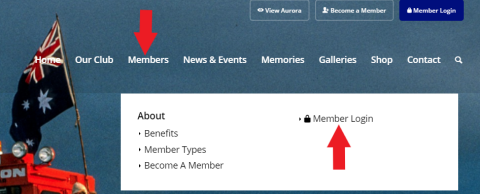
If you have not already done so, Login to our ANARE Club Members page. Use your email address we have on record as your username.
→ Can’t log in? – Click here for Help
If login does not work for you, on the login screen:
- Check that the email address your typed is the same email address you used last time you logged in (you can change it later if necessary).
- If you still can’t log in, click on “Lost your password?” and we will send you an email with your new password but this may take us up to five minutes for it to be received by you (Don’t forget to check your email spam and trash folders!).
- If you didn’t receive an updated password from us, contact us.
- The password we send you is not too user friendly, consider using a “Password Manager” which makes it easier, or you can change it when you log in to your profile.
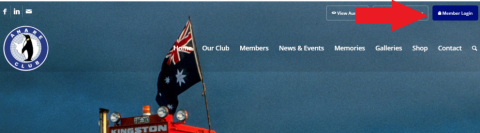
Once you are logged in, to bring up your personal profile select My Account in the top right-hand corner.
2. Member Profile Page
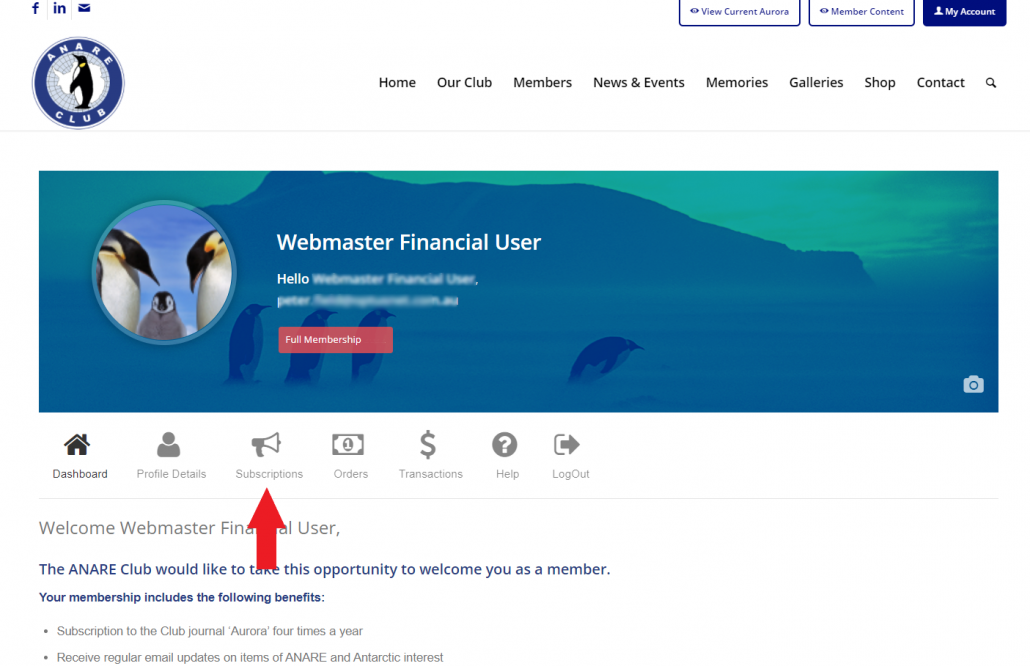
You are now at your Members Portal where you can see your account details and update your personal profile.
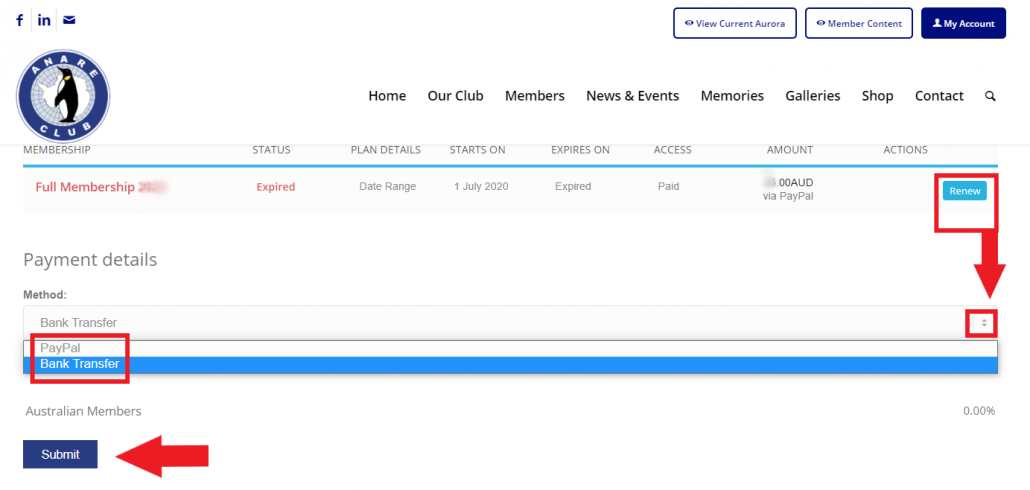
Within two months of your Subscription renewal being due (May-June), you will have a Renew Button in your Profile.
Click on Subscriptions to confirm and/or to make payment.
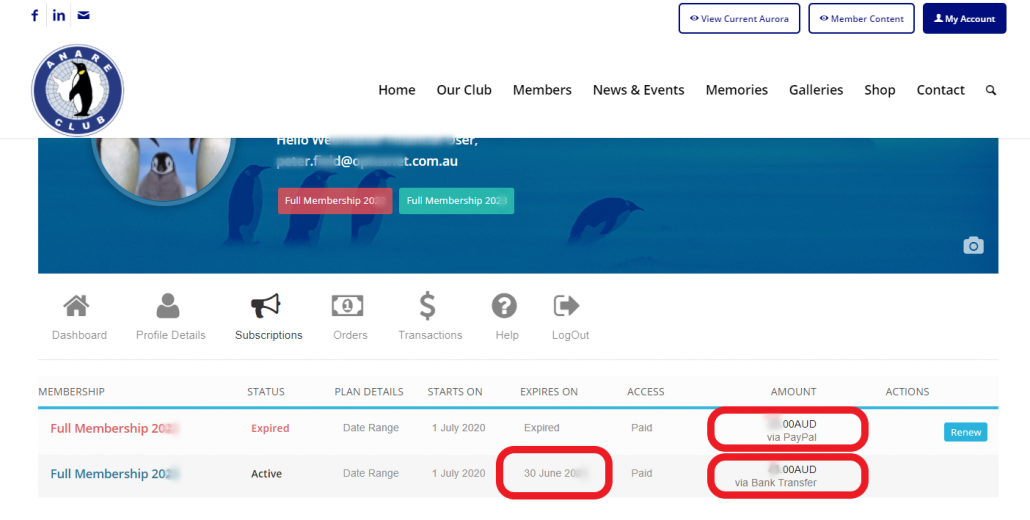
Your subscription may already be expired or the date you are paid up to will be displayed under Expires on.
Click the Renew button to make your payment.
3. PayPal or Bank Transfer
You will now be presented with two options: make payment via PayPal (3a – preferred) or to make payment via Bank Transfer (3b). Click the drop down arrow and highlight your chosen option. Then click on “Submit”.
3 (a) PayPal
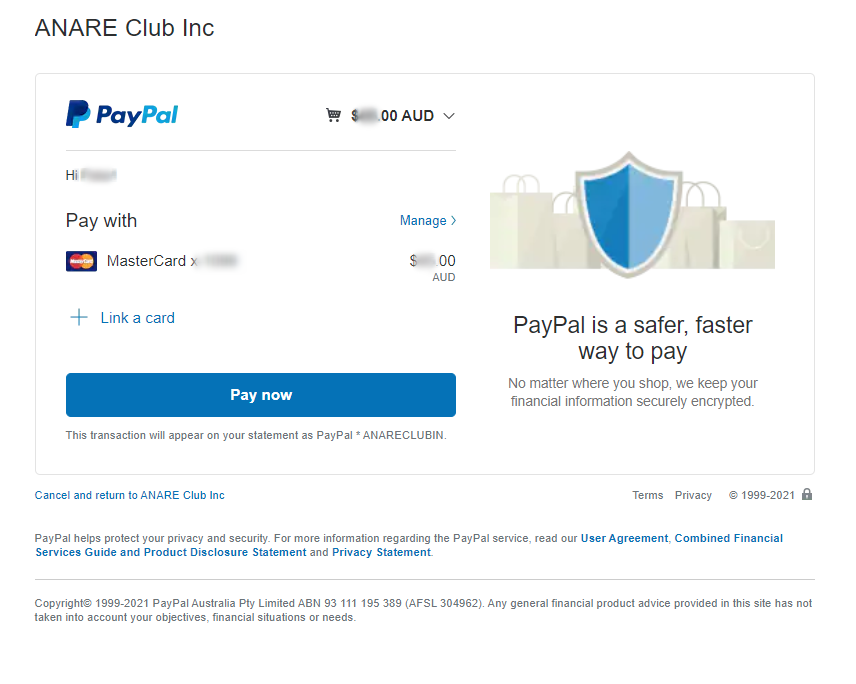
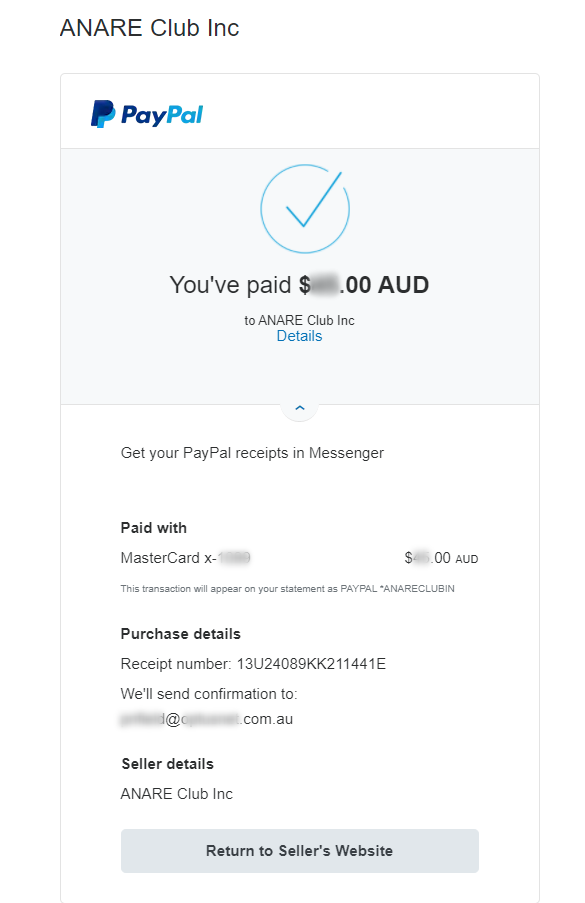
If you selected to make a payment via PayPal (our preferred method), you will be taken to the PayPal login screen and when you enter your credentials, you may make the payment. When you are finished, please press Return to Sellers Website to return to your Profile Page.
3 (b) Bank Transfer
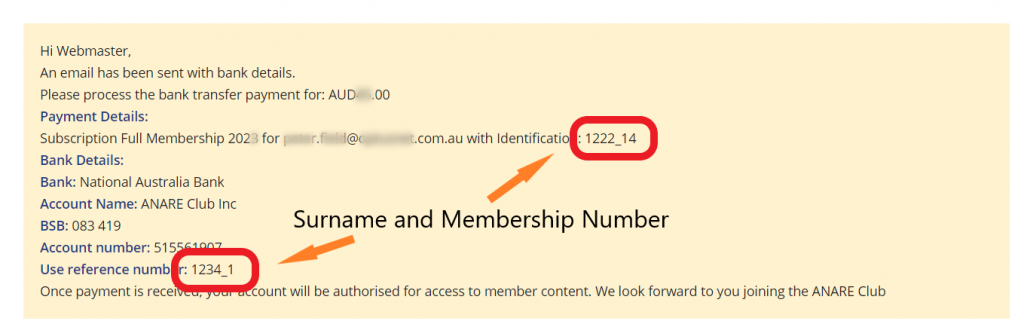
If you selected Bank Transfer, you will be presented with a similar panel to this. When making a payment using Bank Transfer, please enter your Surname → and Membership Number ← as the reference. (below are fictitious for the demonstration).
You will also be sent an email that may take up to five minutes to be received showing these Bank Details and your actual Membership Number.
TO EXIT THIS SCREEN, CLICK ON ANY MENU ITEM. → DO NOT CLICK ON RENEW OR FINISH PAYMENT ←.
4. Subscription Payment Complete
If your Paypal payment was successfully received, your Subscription will now show your new Subscription Expiry date and that you have paid via PayPal.
If you have paid via Bank Transfer, we need to see the transaction has been processed into our Club Bank Account and will then accept payment which in turn will show in your subscriptions as paid “via Bank Transfer”. This may take about a week or more for us to check our Bank Statements for receipt of payments. If the payment is not confirmed after 3-4 weeks, please contact our Membership Officer to confirm we have received your payment.